Loading...
Visualize your codebase. Understand your architecture
Not just a diagram. Your actual code organized by dependencies and folder structure
Code Review
Understand code changes in context
Review AI-generated changes in real time alongside the surrounding code and dependencies.
Dependencies
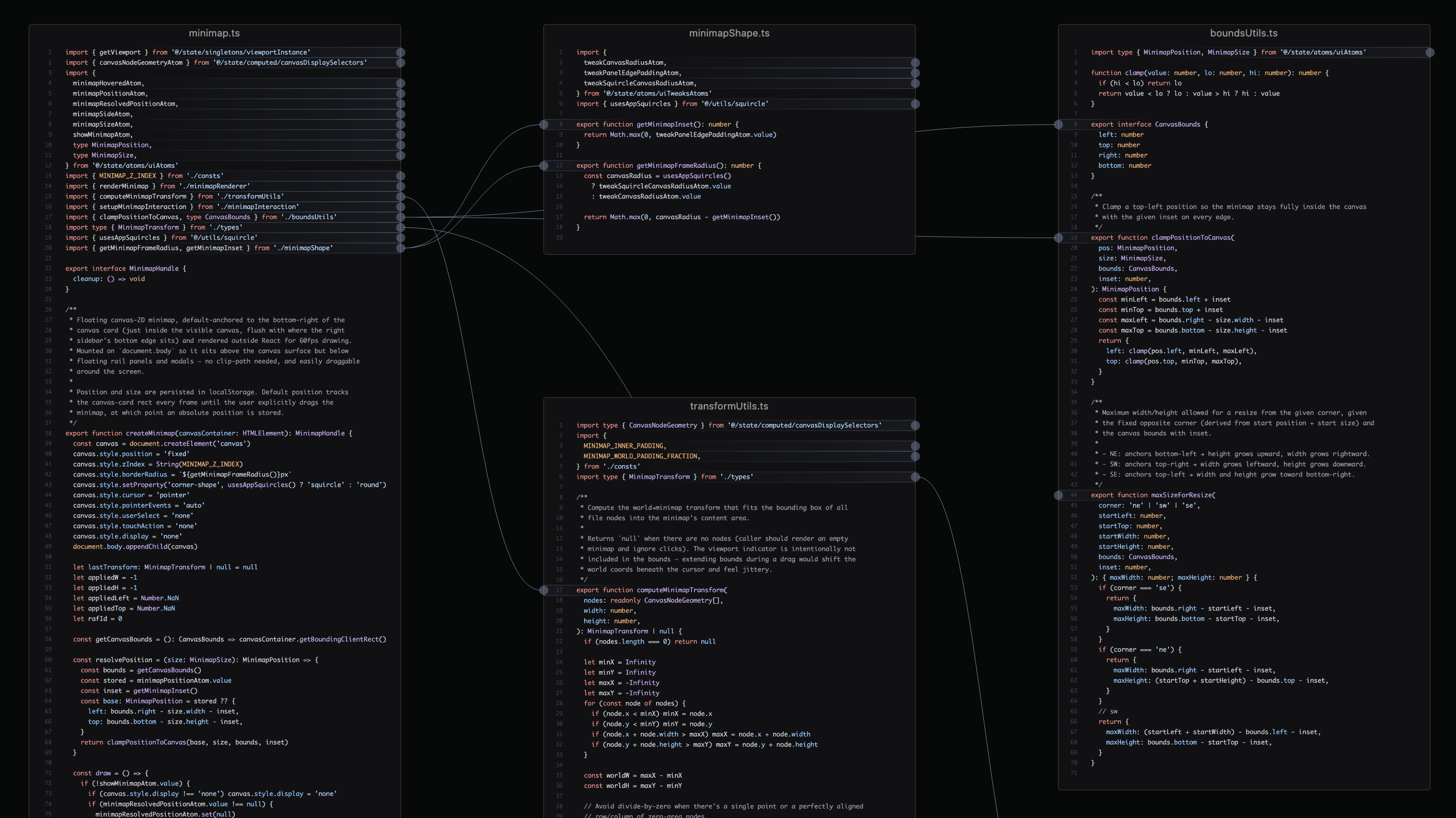
Quickly understand the structure of any codebase
See how modules interact based on actual dependencies between files
Structure
Maintain a mental model of your codebase as it evolves
Every import and export mapped and visualized in real time, so architectural violations are easy to spot
Zoom
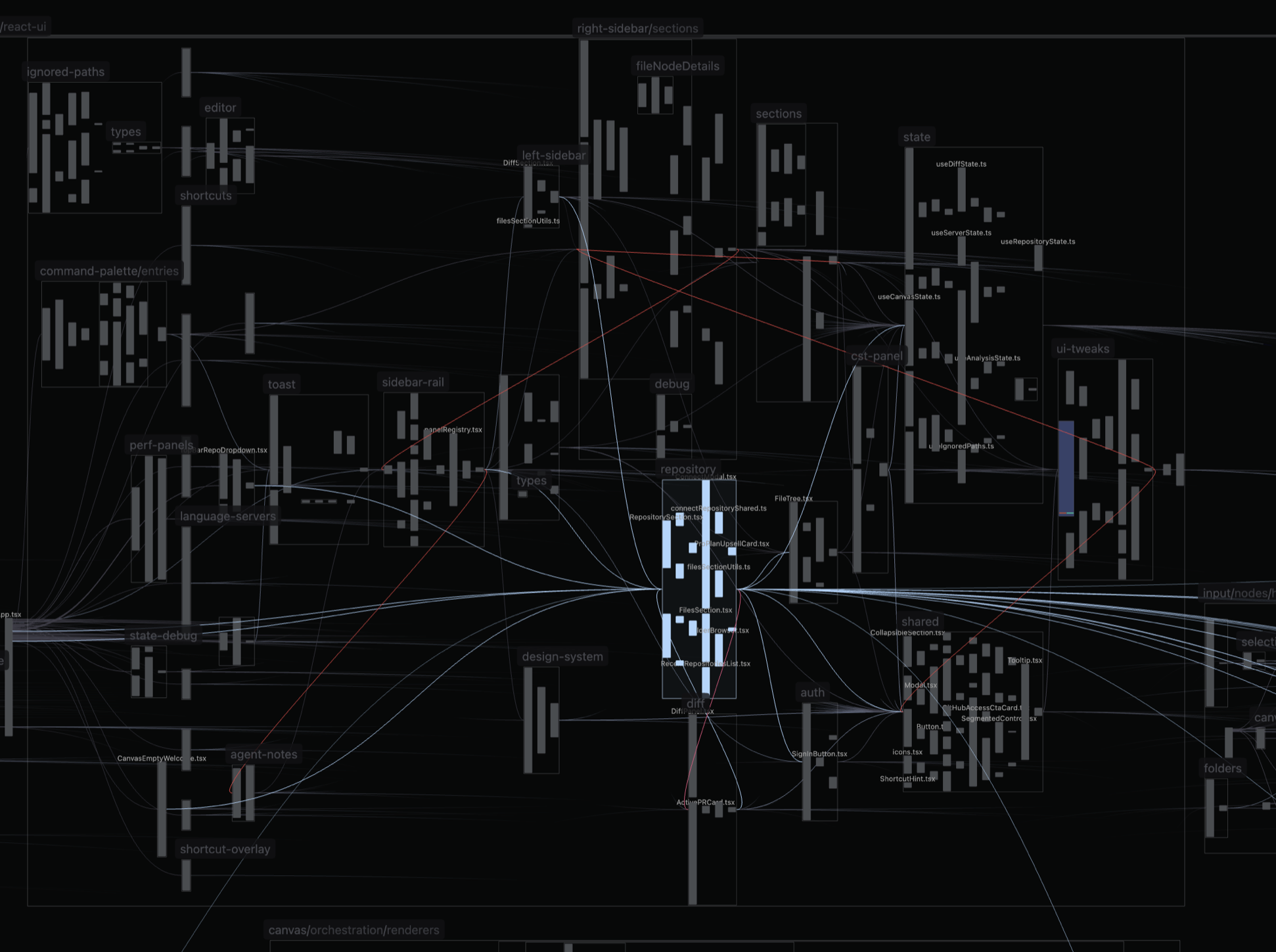
Visualize structure and relationships at any level
Zoom out for connections between modules
Zoom in for file structure and LSP connections
AI Agents
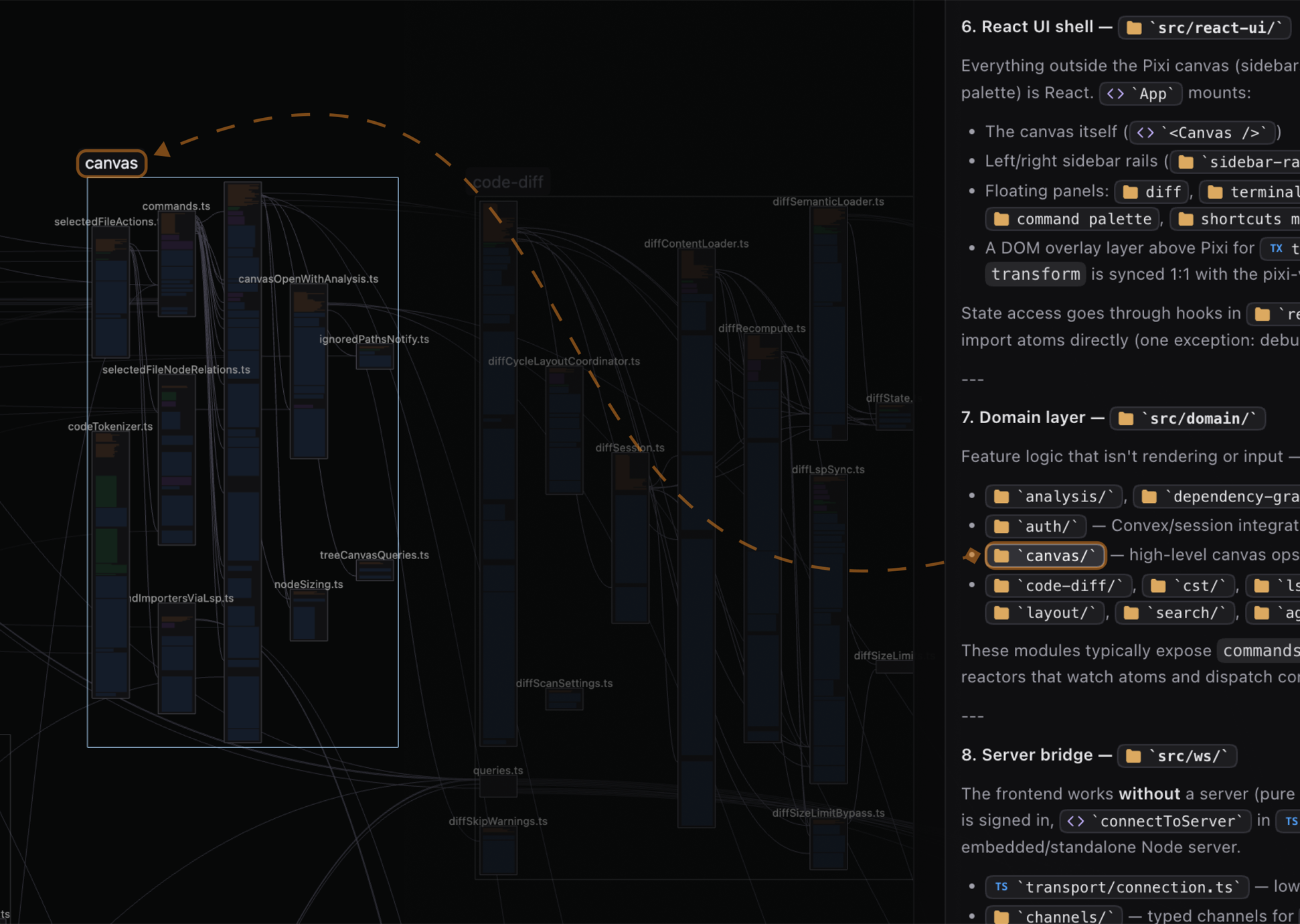
Visualize agent explanations through MCP
Connect your agent and ask it to explain any part. See the explanation directly on the canvas
How it works
Static code analysis happens locally on your machine, and the visualization is sent to the canvas
Codebase
GitHub
orLocal repo
Local server
- Code analysis
- File watcher
- MCP server
Browser
Canvas
Codebase
GitHub
orLocal repo
Local server
- Code analysis
- File watcher
- MCP server
Browser
Canvas
Or download the desktop app
The desktop app includes the local server, so there’s nothing separate to run.
Also works
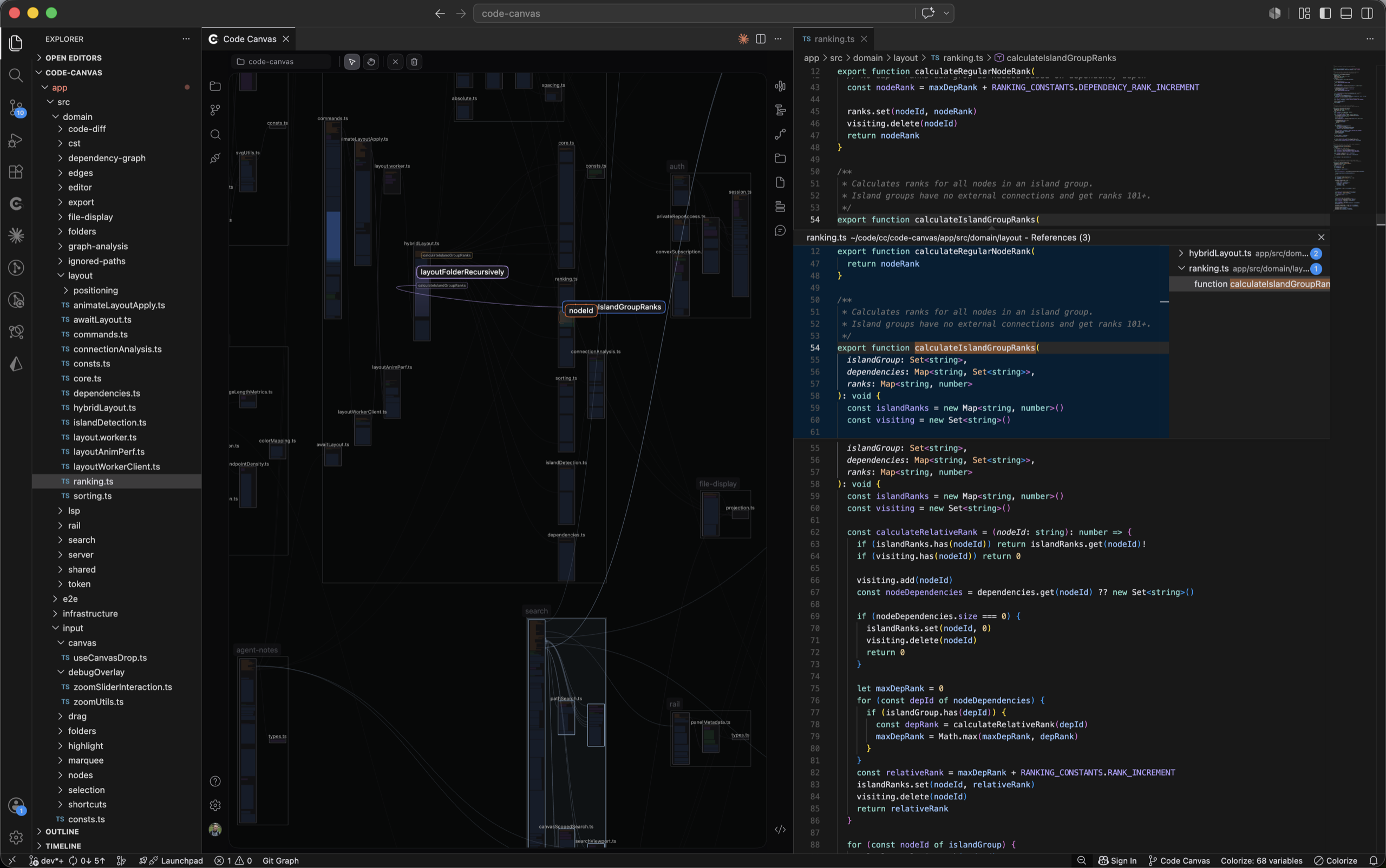
in VS Code
Run the canvas as an extension in VS Code to visualize the workspace
Getting Started
1
Start the server
Run this command in your terminal. It will download and start the Code Canvas server
Terminal
npx code-canvas-server2
Open the canvas
Open your browser and go to the canvas app. It will automatically connect to your local server
Language support
Supported languages and frameworks
Everything in Good support, plus more dependency edges shown by default, more detailed analysis, and support for more configuration files and frameworks.
Syntax highlighting, syntax trees, and dependency edges shown by default. Symbol highlights, definitions, and references are available where a language server is integrated and installed.
Pricing plans
△
Free Plan
£0/month
Codebase visualization: files, folders, and dependencies on the canvas
Load public GitHub repos without signing in
LSP symbol graph and language-server highlights
MCP server for agent notes and canvas search
Split and unified diff views for public repositories
AST visualization
Smart layout algorithm with customization options
View 1 pull request per repo
+ more to come
♛
Pro Plan
£8/month
Private GitHub repository access
Connect local repositories
View all pull requests on the canvas
+ more to come
No credit card required
FAQs
See how everything connects
Open the canvas, load your repo, and see your entire architecture. Files, dependencies, and changes, laid out in front of you